On this page...
Log in to Your Account | Log out of Your Account | Reset Your PIN | Explore Your Bookshelf | Edit Your Profile

- Go to the Library's online catalog External Link
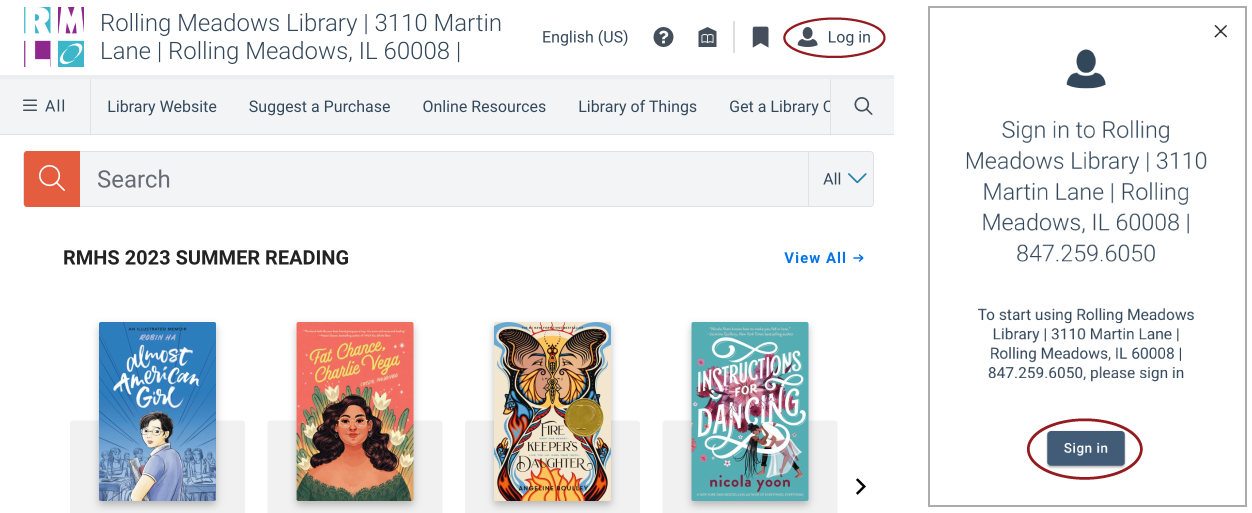
- Click on “Log in” located on the upper right of the screen and “Sign in” on the pop-up
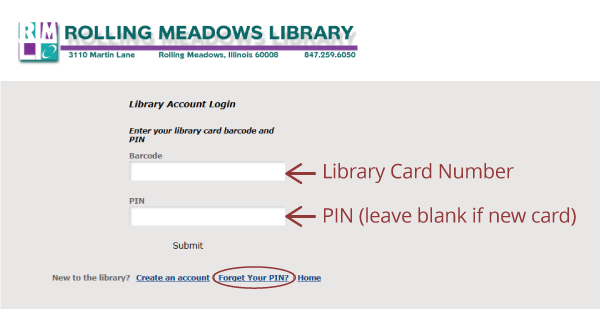
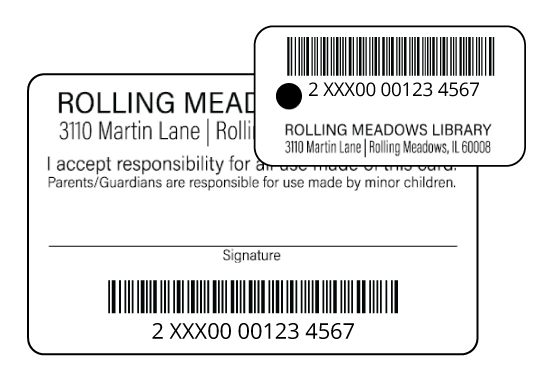
- Enter the complete barcode found on the back of your library card
- Enter PIN (if you have a new library card leave this blank) and click on “Submit”

Reset Your Pin
If you are having trouble with your PIN, you can reset it by clicking on “Forget Your PIN?”or reset your PIN here. For assistance, come to the Check Out Desk with your Rolling Meadows Library card.

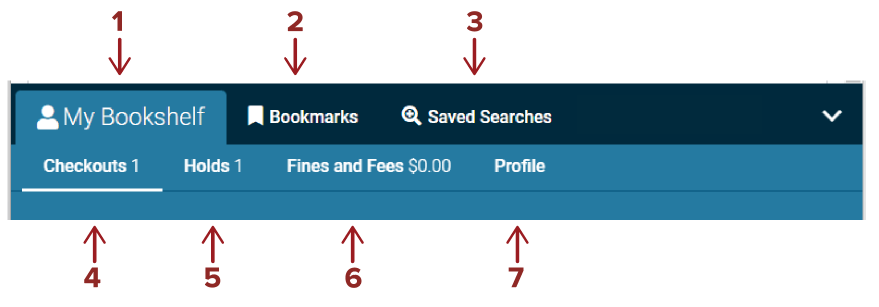
- Bookshelf: Log in to view your account information, saved lists, checkouts, holds, and fees.
- Bookmarks: Edit and organize your Bookmarked items into lists to save and share.
- Saved Searches: Save search queries to My Bookshelf for later use.
- Checkouts: View items currently checked out and due dates. You can also renew your items. Learn about renewing items.
- Holds: View items you have on hold, if they are available for pickup, how many patrons are waiting, and your pickup location. You can also cancel or freeze holds. Learn about holds.
- Fines & Fees: View money owed.
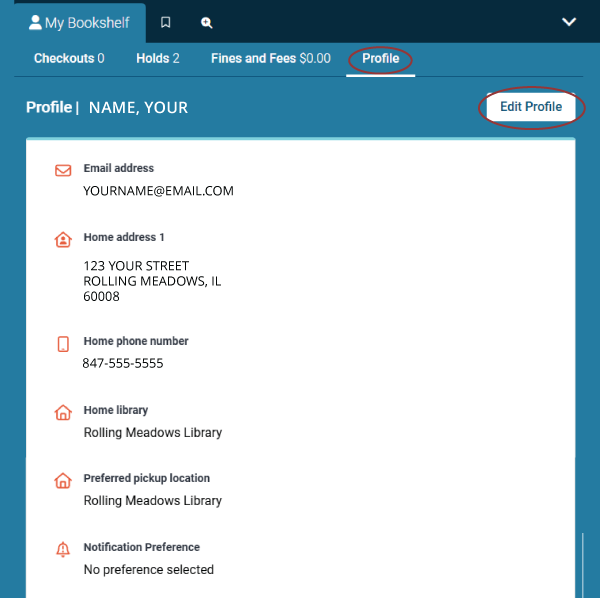
- Profile: View your info such as address, expiration date, etc. Add email address and change password (PIN).


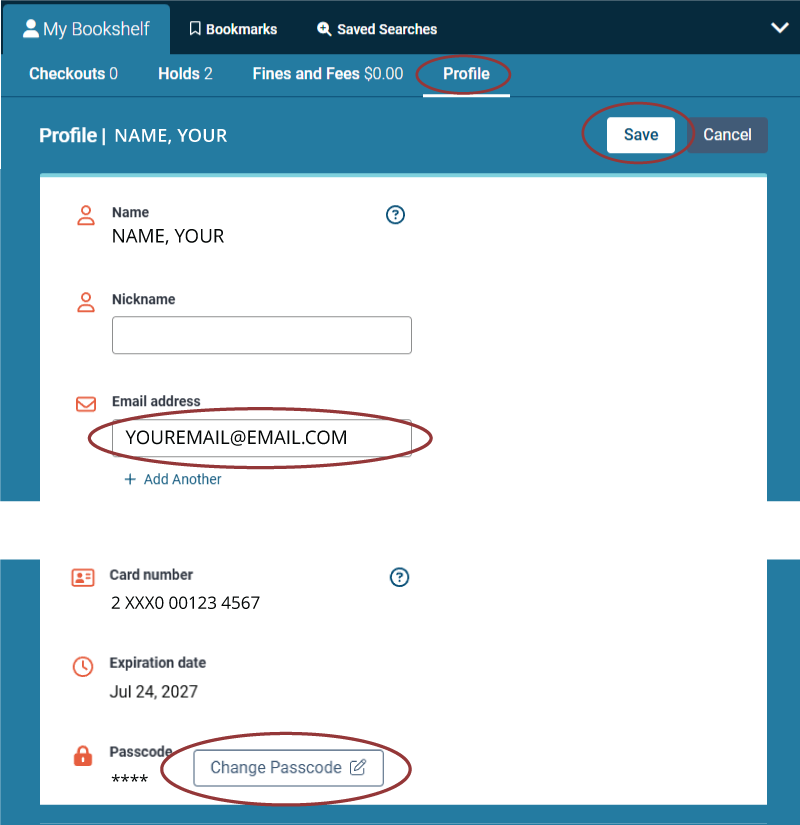
- To update your profile information select "Edit Profile". (Please note: some information, like name and address, can only be changed at the Check Out Desk).
- Add your email to the email address line to receive notifications right to your inbox.
- If you want to update your login PIN select "Change Passcode" (Please note: You will need to enter your current PIN/Passcode. If you forget your PIN, you can reset your PIN online External Link or call the Check Out Desk at 847-259-6050).
- When you're done making changes, don't for get to hit the “Save” button.
Need more help or want to dig into these features further? Check out the Vega Help Manual External Link